Why I'll never use orange as a primary brand colour
(and what to do if you already have)
Orange is gorgeous. Vibrant, warm, energetic.
It shows up everywhere from tech startups to juice brands to nonprofits that want to feel approachable and optimistic. But here's the thing about orange: it's a nightmare for accessibility.
Not because you can't make it work. You can. But the number of caveats, compromises, and individual variations you have to navigate means orange will always fight you when you're trying to design something inclusive.
Let me explain why.
The orange problem
Most colours give you a clear answer when it comes to text contrast. You run it through WCAG (Web Content Accessibility Guidelines), and you get a pass or fail. Black text passes, white text fails. Or the other way around. Done.
Orange doesn't do that.
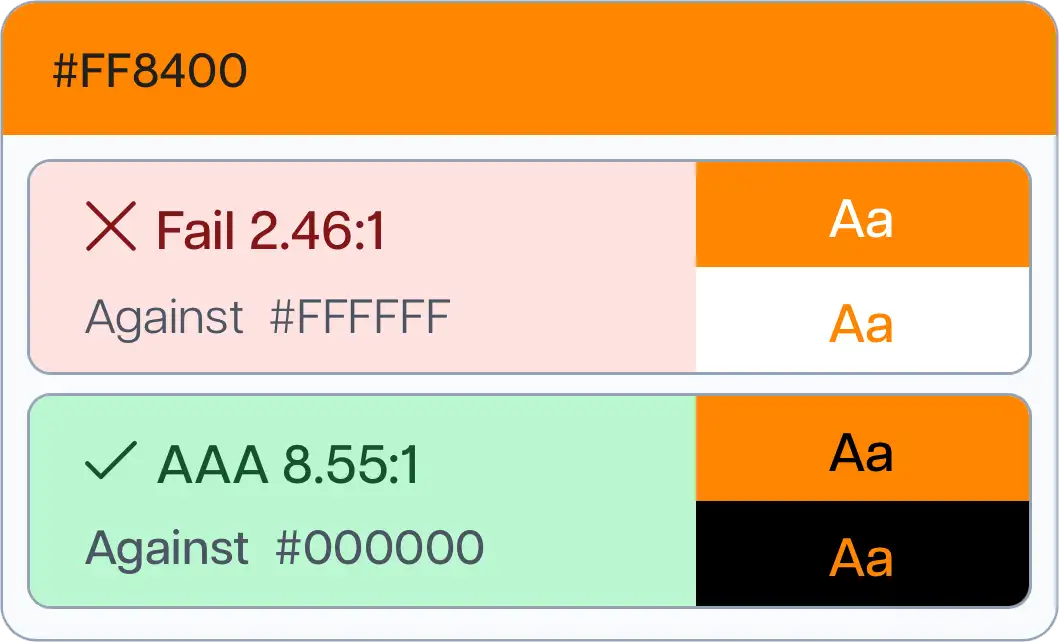
With a bright, vibrant orange (the kind that actually looks like an orange), white text usually looks better visually. It feels modern, clean, and legible. But white on orange almost never passes WCAG contrast requirements for accessibility.
Black text, on the other hand, does pass. Technically, black on orange is the accessible choice. But it looks strange. Off. Like a Halloween decoration or a budget traffic sign.
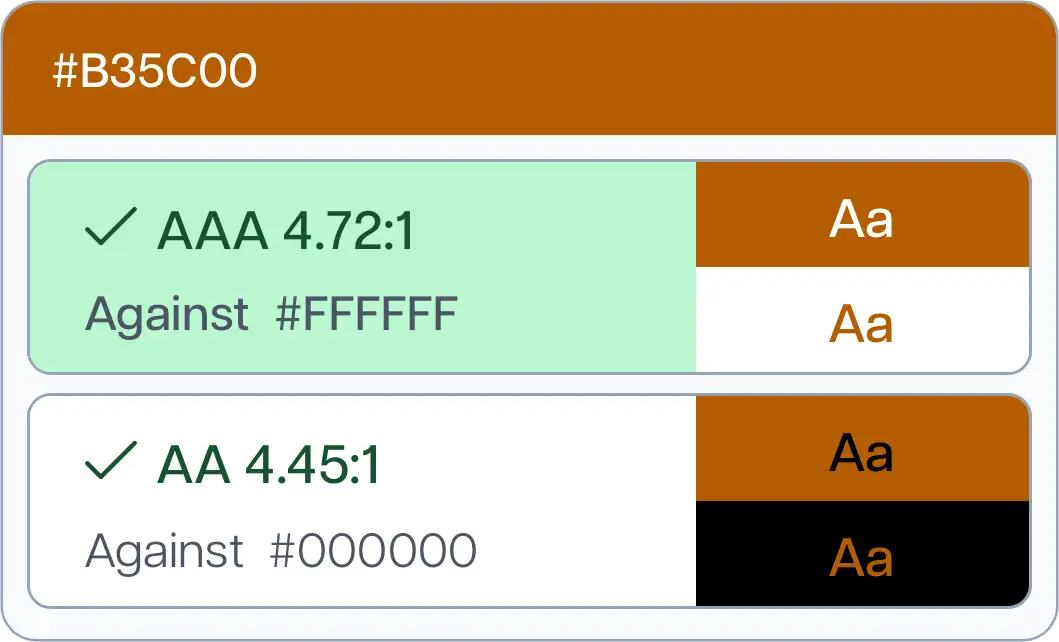
If you try to fix the orange by darkening it enough to make white text pass WCAG, you end up with a murky orangey-brown that no one wants to look at, let alone build a brand around.
So you're stuck. The version that passes accessibility standards doesn't look good. The version that looks good doesn't pass. And the version that technically works visually isn't actually the version people prefer.
It gets more complicated
A 2019 case study by Ericka O'Connor from Bounteous tested orange buttons with about 20 colour-blind participants to see which combination was easier to read: white text on orange, or black text on orange.
The results showed that 61% of users preferred white text on orange, even though black text was the WCAG-compliant option. But when they broke it down by type of colour blindness, the preferences split. Some types of colour blindness strongly favoured white text. Others preferred black. One participant with monochrome colour blindness favoured black text.
The study also found that some users experienced physical discomfort with the black text option. Participants reported issues like headaches, a halo effect around the text, and buzzing on the screen, even though black text was technically the more accessible choice according to contrast ratios.
This is the problem with orange. Accessibility is supposed to make things simpler and more intuitive for everyone. Orange does the opposite. It introduces ambiguity, individual variation, and trade-offs that shouldn't exist in the first place.